🌍 Propagation-aware
Band choice, distance, greyline conditions and live propagation mood all influence what appears and how valuable it is.
A ham-radio DX simulation game built around real operating ideas: propagation, pile-ups, split operation, greyline paths, DXpeditions, maritime mobile stations and weak-signal working.
The map gives you the world. The panadapter is where you make the catch. Work the right signal, pick your moments and try not to click the DX when everybody is shouting UP!
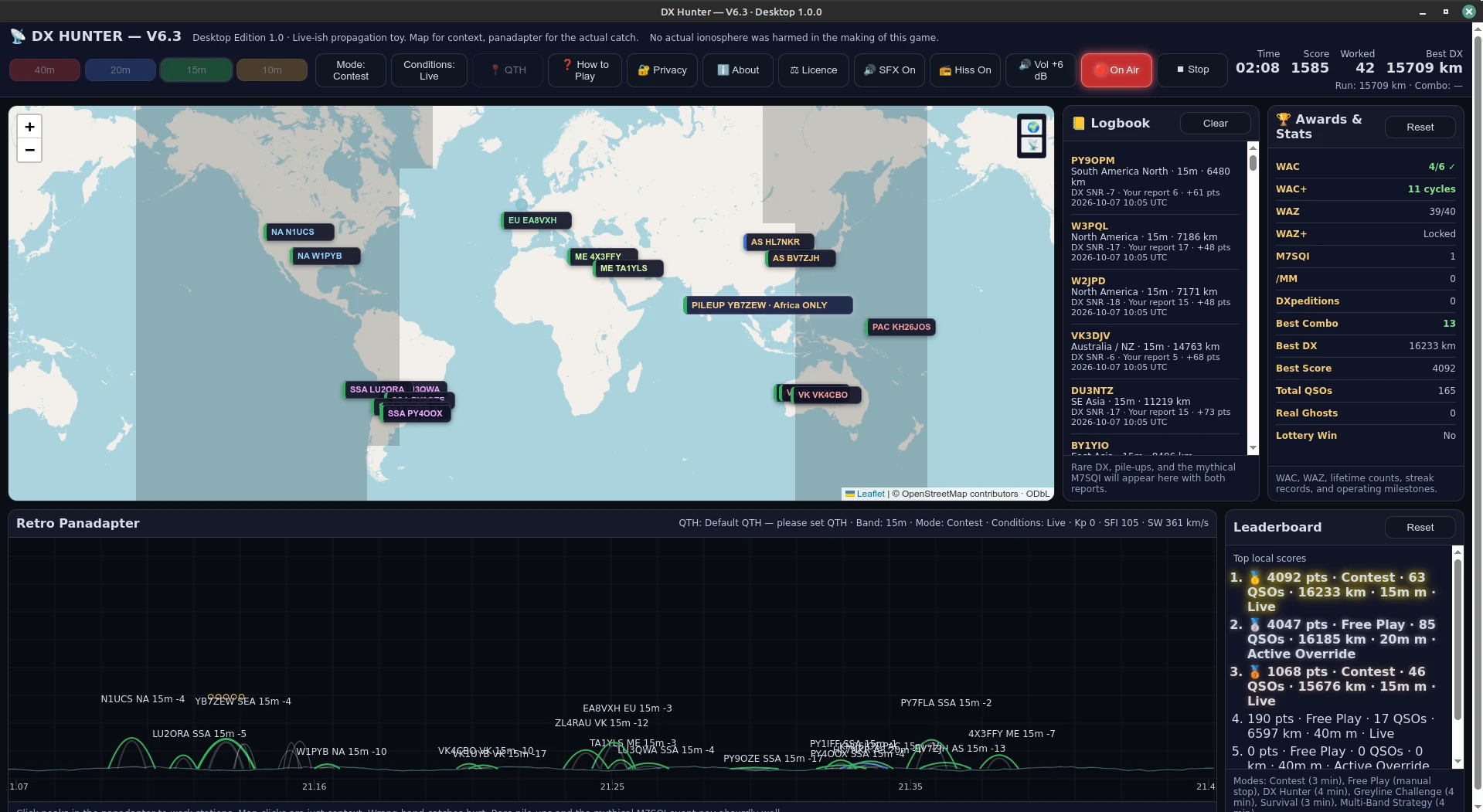
DX Hunter is deliberately a game rather than a station simulator, but the decisions and terminology come from real amateur-radio operating.
Band choice, distance, greyline conditions and live propagation mood all influence what appears and how valuable it is.
Work ordinary signals, crack pile-ups, watch for region-only calls and remember that some DX is listening up.
Your QTH, leaderboard, logbook, awards and preferences remain stored locally on your device.
Enter a Maidenhead locator or exact coordinates and DX Hunter uses your station position for distance and greyline calculations.
Contest, Free Play, DX Hunter, Greyline Challenge, Survival and Multi-Band Strategy each put a different spin on the same bands.
Generated SFX, background hiss, speech call-outs and an adjustable ±6 dB master level add atmosphere without requiring an actual shack.
Choose your platform. Linux and Windows are supplied as standalone desktop packages, while Android is available as a signed APK for phones and tablets.
Standalone desktop build. Extract and run directly, or use the included installer script for application-menu integration.
Standalone Windows desktop edition. Extract the ZIP and run
DX-Hunter.exe; saved game data is stored separately in your
local application-data folder.
Signed Android edition for phones and tablets. It is playable on a phone with scrolling where needed, and particularly well suited to larger tablet screens.
DX Hunter is free software under the GNU General Public License version 3. Commercial/proprietary licensing may also be available separately.
The corresponding source includes the HTML/CSS/JavaScript game, Python desktop wrapper, Linux and Windows build material, Capacitor/Android project, local Leaflet assets and licence material.
DX Hunter uses third-party open-source components including Leaflet, pywebview, Qt/PySide6 and Capacitor. Map data and tiles are provided by OpenStreetMap.
Full notices are included with the application and source archives.
Most of DX Hunter runs locally. A network connection is used for the world map and live propagation information.
./DX-Hunter; optional install.sh adds an application-menu entryDX-Hunter.exe